Zoom
Zoom Integration
The Loyalty Rewards App for Zoom by LoyaltyMatch allows you to integrate your LoyaltyMatch program with the Zoom platform. Loyalty points can be awarded to your members for Zoom interactions in both Meeting and Webinars. Such interactions include:
- Registering for Meetings or Webinars
- Joining Meeting or Webinars
- Sharing at Meetings or Webinars
- Streaming at Meetings or Webinars
Support
Feel free to contact us anytime if you have questions: <a href="mailto:support@loyaltymatch.com">mailto:support@loyaltymatch.com</a>. We endeavor to respond to all requests within 24 hours.
Installation
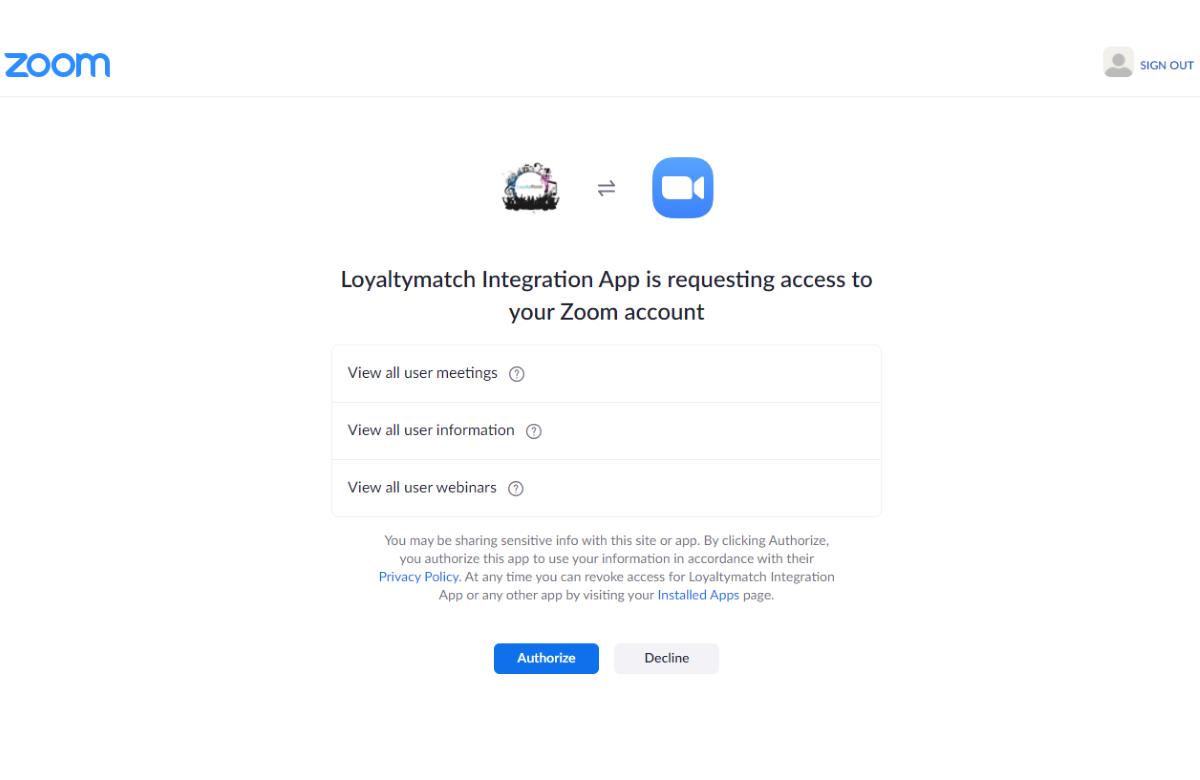
To install the Loyalty Rewards App for Zoom log into your Zoom account and navigate to the Zoom Marketplace found here: <a href="https://marketplace.zoom.us/" target="_blank" rel="noopener">https://marketplace.zoom.us/</a>. Search for the Loyalty Rewards App for Zoom by LoyaltyMatch and select the 'Install' button. Then authorize the app to access your account.
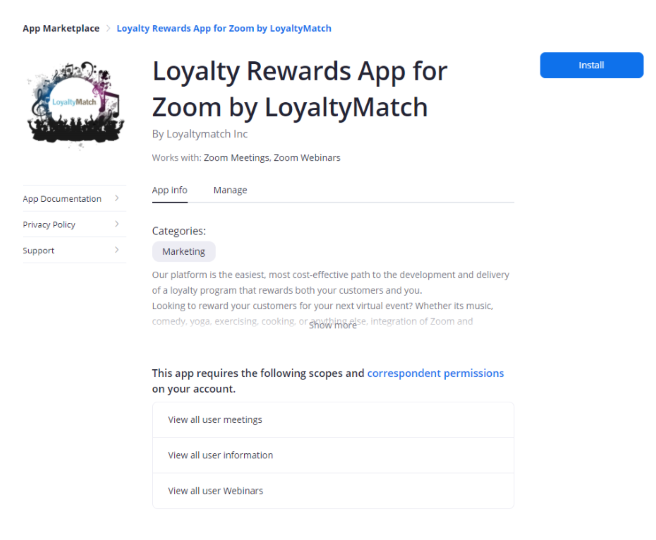
Once the app is installed on your Zoom account LoyaltyMatch will receive a notification and your loyalty server will be authorized to accept incoming data from the Zoom network.
Uninstallation
To uninstall the Loyalty Rewards by LoyaltyMatch app:
- Login to your Zoom account and navigate to the Zoom App Marketplace.
- Select Manage > Installed Apps Or search for the Loyalty Rewards by LoyaltyMatch app.
- Select the Loyalty Rewards by LoyaltyMatch app.
- Click Uninstall.
Configuration
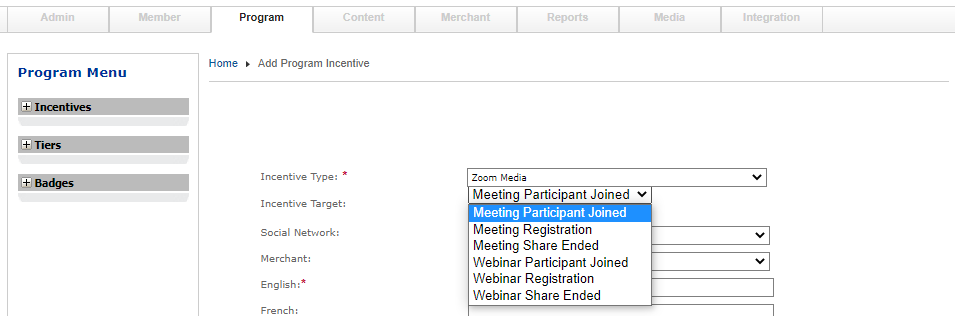
Your LoyaltyMatch server has been preconfigured with a Zoom incentive type and 3 targets for the Zoom platform meeting and webinars. To award points for interactions a active Zoom incentive must be configured on your loyalty server. Create an incentive for each Zoom target you would like to award and insure the incentive is active.
Awarding Points
Members of your program will be awarded points based on the active Zoom incentives in your program. In order to find members of your loyalty program and associate a member with a Zoom participant it is required that the member's email address in the loyalty system match the email address of a registered Meeting or Webinar participant. When setting up a Meeting or Webinar on the Zoom platform be sure to configure the Meeting or Webinar as 'Registration required.' Members of your program will need to use the same email address to register for the Meeting or Webinar as the email address associated to the loyalty account.